manifest.json
Declares module identity, title, description, version, permissions, routes, and public metadata.
Modules
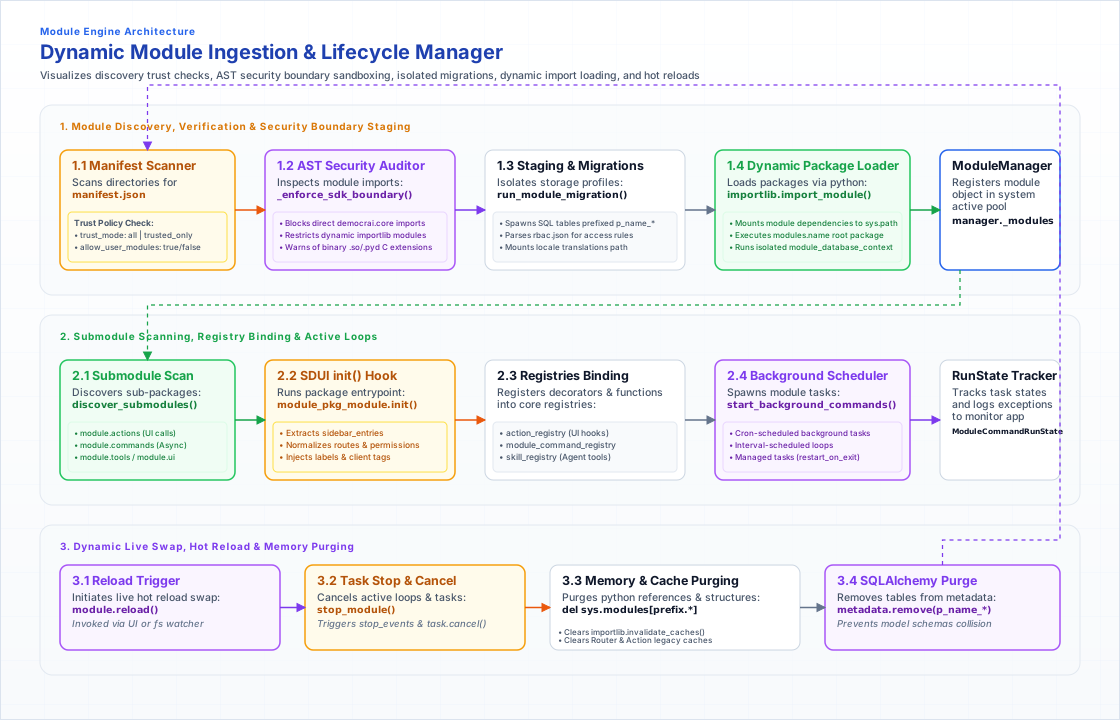
A module owns a feature area. It declares metadata, models, UI, actions, tools, agents, skills, commands, locales, and assets while relying on the SDK for platform services.
Module structure
The folder shape is intentionally boring: domain models, UI, actions, tools, agents, skills, locales, and assets are easy to locate.
Declares module identity, title, description, version, permissions, routes, and public metadata.
Defines persistent module tables by extending the module base model so runtime filters and migrations can work consistently.
Contains YAML layouts. Python views load these files and provide data rather than building UI imperatively.
Runtime behavior
A page can be static, but most product modules react to user events. Those events should stay inside the module boundary.
Handle user events, write module data, return effects, or publish stream updates.
Expose capabilities to model orchestration without leaking core internals into module code.
Keep display strings translatable and separate from business logic.
Persistence
The module defines the table shape. The runtime handles migrations, filters, and access context through the base model and SDK.
User and organization filters can be applied consistently when the model declares the relevant fields.
The module provides models; the core migration workflow generates and applies the database migration.
Module code should prefer public model/SDK operations over direct database access.
Example
The example shows the contract shape without turning the page into implementation documentation.
modules/example/
  manifest.json
  models.py
  actions/
  agents/
  tools/
  skills/
  ui/
  utils/ui/yaml/
  locales/
  assets/
Next
Use these pages to move from the concept to adjacent parts of the runtime.