Stream updates
Actions can publish progress and UI changes to a stream id while work is still running.
Observability
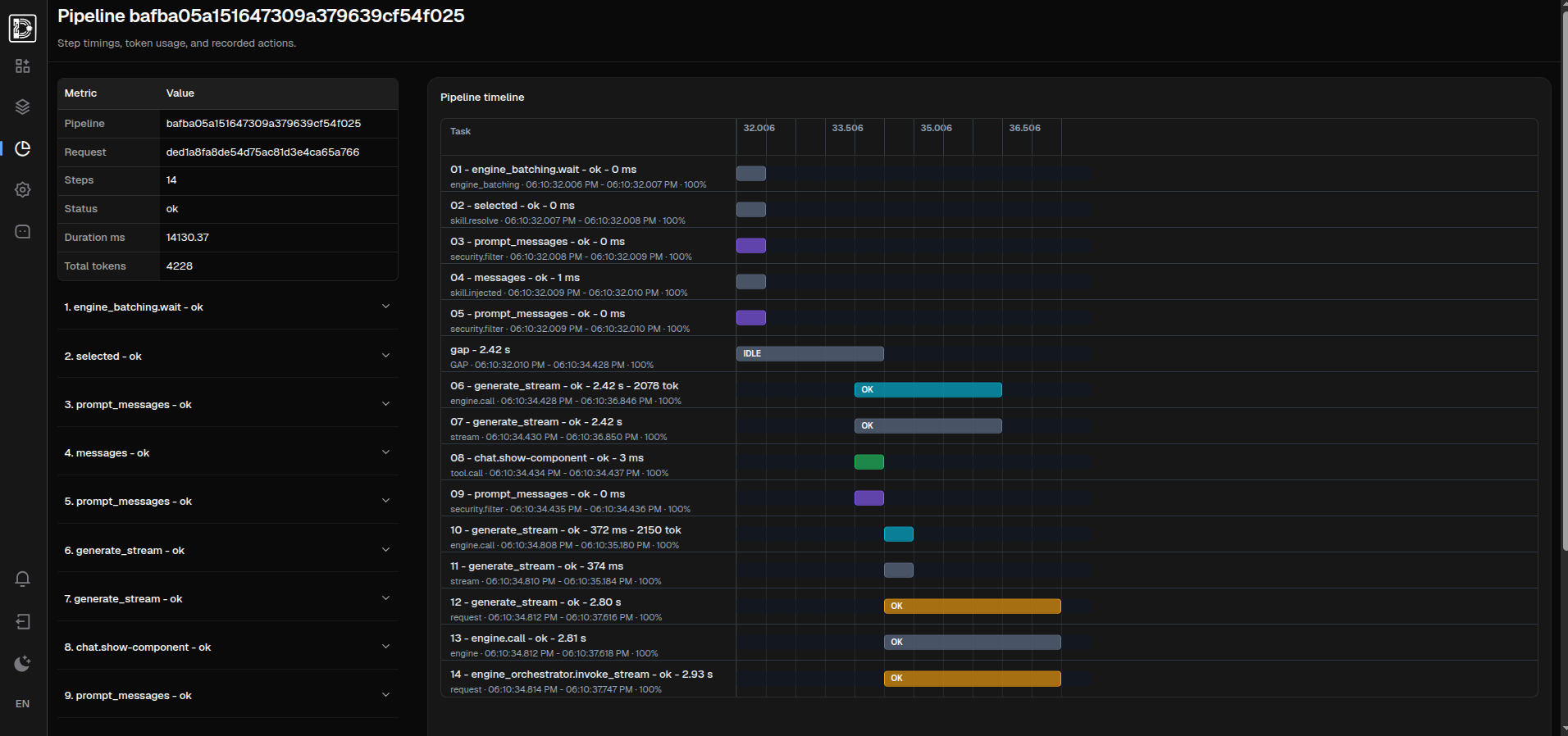
Actions, agent steps, tool calls, background tasks, model calls, and data changes can be surfaced to users and recorded for inspection.
Live feedback
Agentic flows often include planning, tool calls, background work, and streamed output. The UI needs a place for those states.
Actions can publish progress and UI changes to a stream id while work is still running.
Important on-message events can appear as ephemeral UI rows before the final persisted message.
Web and desktop renderers consume the same UI effects, even when each client has different rendering constraints.
Audit surface
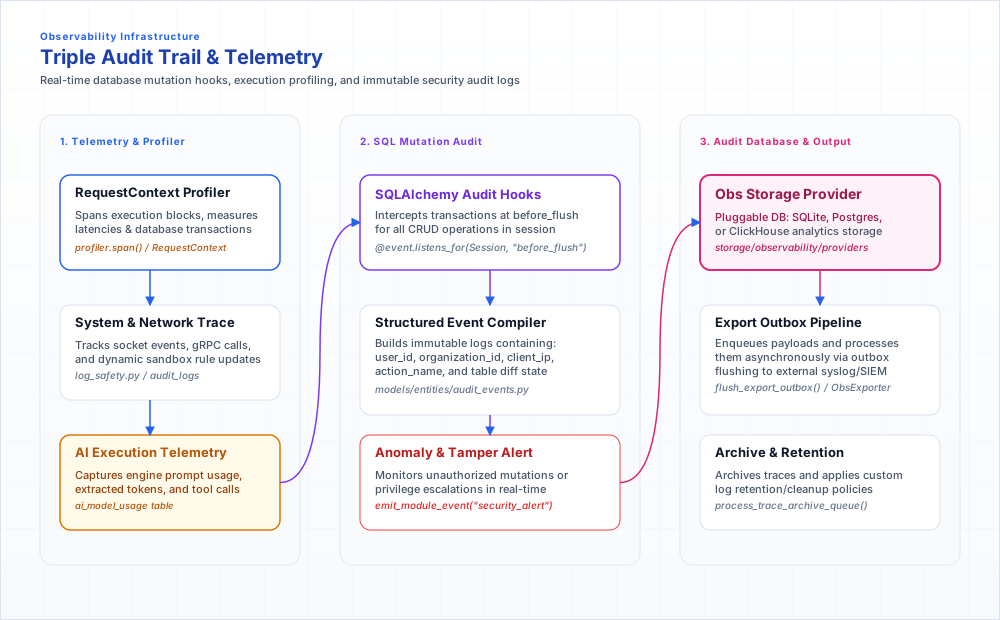
Audit is not something feature code has to remember. The runtime captures persistent changes at the data layer and writes them to a single event sink with full actor context.
Inserts, updates, and deletes are captured on the database flush and emitted only after the transaction commits, so rolled-back work leaves no trail. Modules get this without writing any audit code.
Each mutation records column-level before and after state alongside the acting user, role, organization, session, request and correlation id, client address, and node.
Sensitive keys — passwords, tokens, secrets — are redacted. Large fields like content, markdown, and chunks are reduced to a size and SHA-256 fingerprint, keeping the record verifiable without storing the payload.
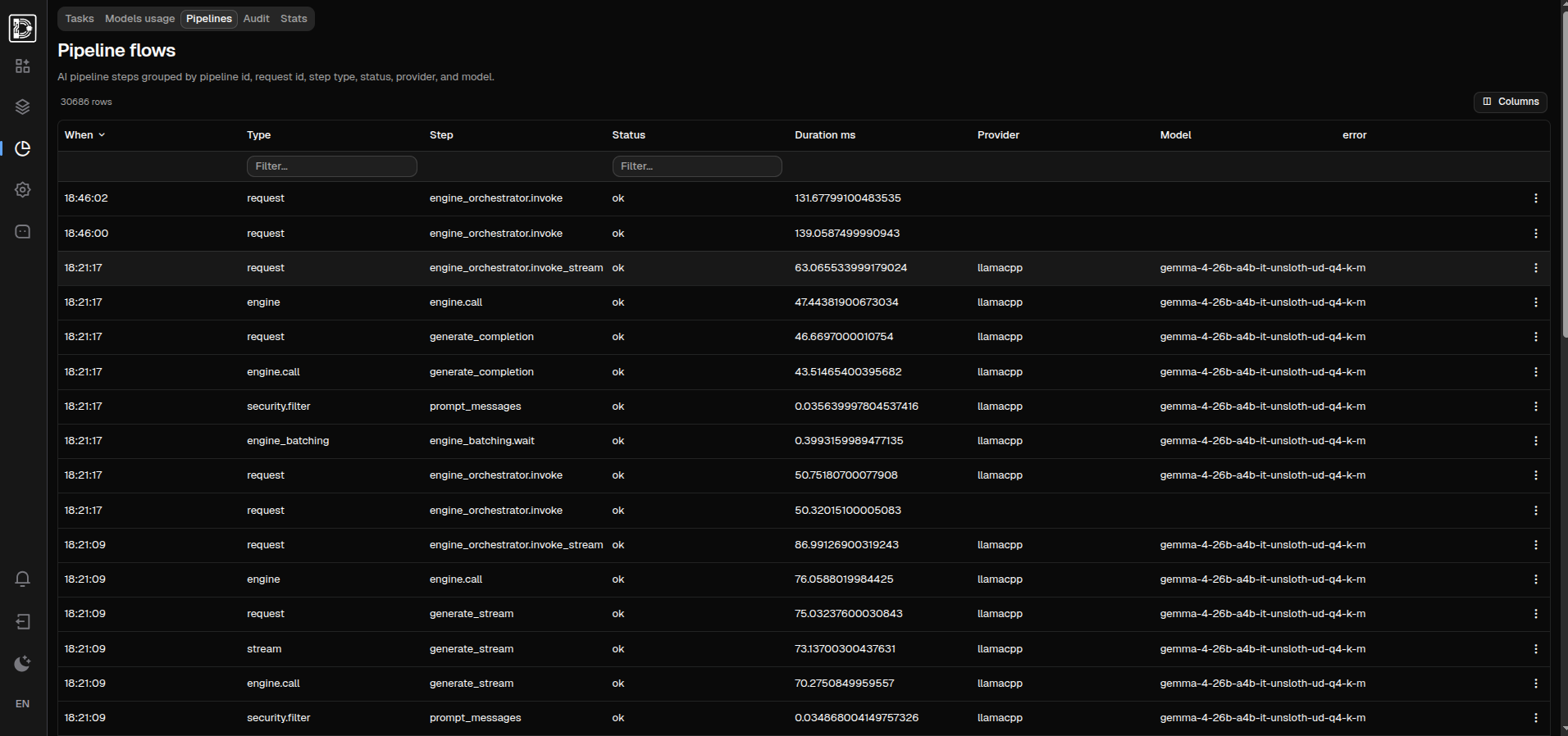
App events, auth events, data mutations, and AI usage, runtime, and pipeline steps flow through a single store with configurable retention and export.
Client behavior
This matters especially for chat and desktop rendering where large message lists can become expensive.
Chat turns, tool steps, and generated components can be appended to the message list.
A running status row can be replaced as the agent moves from planning to tool calls to completion.
Temporary progress can disappear when the final response is saved, while errors remain visible.
Next
Use these pages to move from the concept to adjacent parts of the runtime.