
This ready layout combines a left sidebar with a main content area split into two resizable panes.
Use this structure for list-detail views, editor-preview pages, comparison workflows, and workspaces where the secondary pane must stay visible while the primary pane scrolls. The root owns the viewport height; each split pane contains its own ScrollArea so pane content scrolls independently.
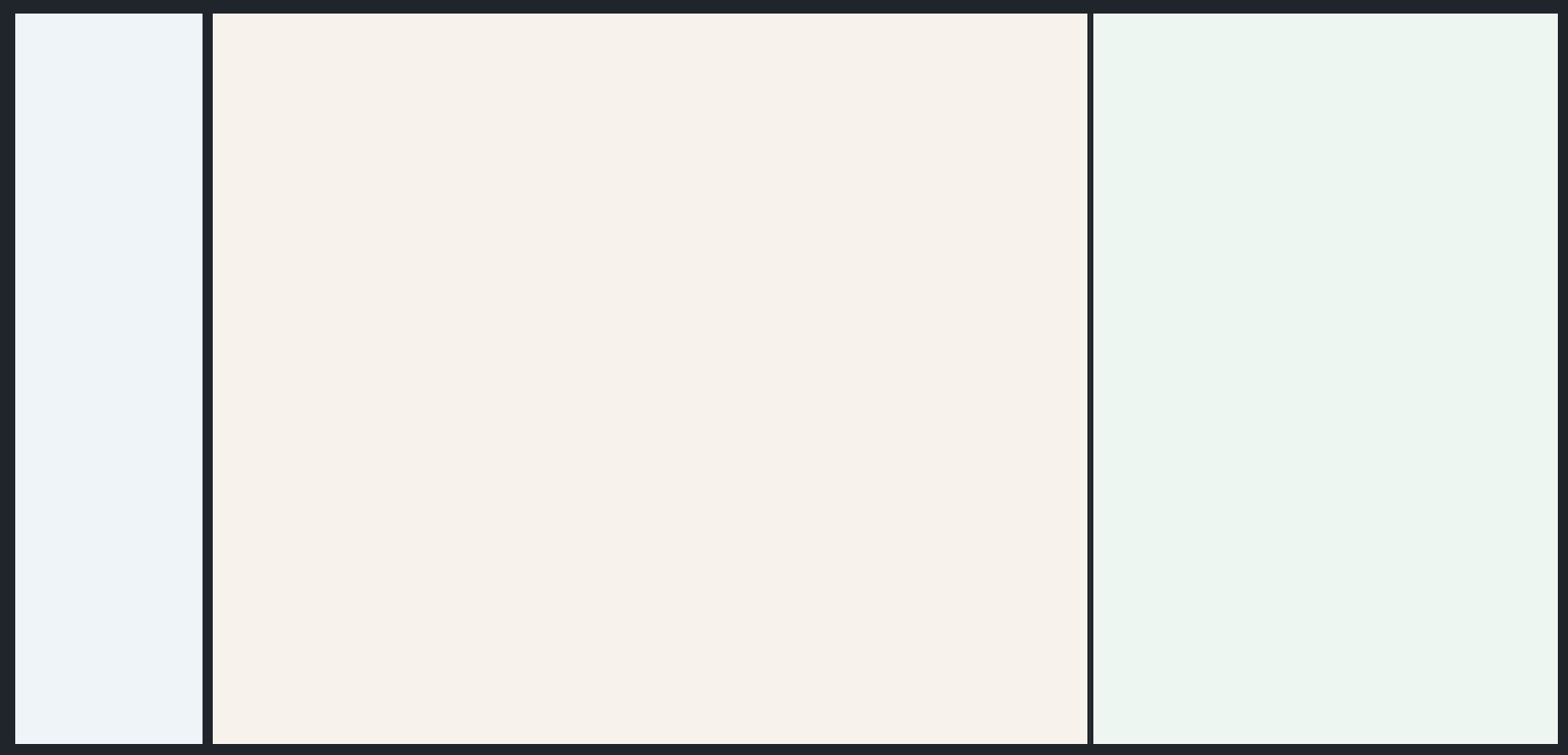
Structure
- The root
Columnowns the viewport height. - The outer
RowsplitsSidebarandContentArea. - The
ContentAreacontains aSplitterwith two pane containers. Splitter.sizesdefines the initial pane ratio.- Sidebar, primary pane, and secondary pane each contain their own
ScrollArea.
Example
prefix = "components_full_test_sidebar_splitted_content"

nav_stack = sdk.ui.Column(f"{prefix}_nav_stack", [])
builder.add(nav_stack)

nav_scroll = sdk.ui.ScrollArea(f"{prefix}_nav_scroll", [nav_stack.id])
nav_scroll.set_property("scroll_x", False)
nav_scroll.set_property("transparent", True)
nav_scroll.set_property("stretch", True)
builder.add(nav_scroll)

sidebar = sdk.ui.Sidebar(f"{prefix}_sidebar", [nav_scroll.id])
sidebar.set_property("width", 220)
builder.add(sidebar)

primary_stack = sdk.ui.Column(f"{prefix}_primary_stack", [])
builder.add(primary_stack)

primary_scroll = sdk.ui.ScrollArea(f"{prefix}_primary_scroll", [primary_stack.id])
primary_scroll.set_property("scroll_x", False)
primary_scroll.set_property("transparent", True)
primary_scroll.set_property("stretch", True)
builder.add(primary_scroll)

primary_pane = sdk.ui.Column(f"{prefix}_primary_pane", [primary_scroll.id])
primary_pane.set_property("align", "fill")
primary_pane.set_property("stretch", True)
primary_pane.set_property("style", "min-height: 0;")
builder.add(primary_pane)

secondary_stack = sdk.ui.Column(f"{prefix}_secondary_stack", [])
builder.add(secondary_stack)

secondary_scroll = sdk.ui.ScrollArea(f"{prefix}_secondary_scroll", [secondary_stack.id])
secondary_scroll.set_property("scroll_x", False)
secondary_scroll.set_property("transparent", True)
secondary_scroll.set_property("stretch", True)
builder.add(secondary_scroll)

secondary_pane = sdk.ui.Column(f"{prefix}_secondary_pane", [secondary_scroll.id])
secondary_pane.set_property("align", "fill")
secondary_pane.set_property("stretch", True)
secondary_pane.set_property("style", "min-height: 0;")
builder.add(secondary_pane)

splitter = sdk.ui.Splitter(f"{prefix}_splitter", [primary_pane.id, secondary_pane.id])
splitter.set_property("stretch", True)
splitter.set_property("sizes", [650, 350])
builder.add(splitter)

content = sdk.ui.ContentArea(f"{prefix}_content", [splitter.id])
content.set_property("stretch", True)
builder.add(content)

shell = sdk.ui.Row(f"{prefix}_shell", [sidebar.id, content.id])
shell.set_property("align", "fill")
shell.set_property("spacing", 12)
shell.set_property("stretch", True)
shell.set_property("style", "height: 100%; min-height: 0;")
builder.add(shell)

root = sdk.ui.Column(f"{prefix}_root", [shell.id])
root.set_property("align", "fill")
root.set_property("style", "height: 100vh; min-height: 100vh;")
builder.add(root)
- kind: Column
id: components_full_test_sidebar_splitted_content_yaml_root
align: fill
style: "height: 100vh; min-height: 100vh;"
children:
- kind: Row
id: components_full_test_sidebar_splitted_content_yaml_shell
align: fill
spacing: 12
stretch: true
style: "height: 100%; min-height: 0;"
children:
- kind: Sidebar
id: components_full_test_sidebar_splitted_content_yaml_sidebar
width: 220
children:
- kind: ScrollArea
id: components_full_test_sidebar_splitted_content_yaml_nav_scroll
scroll_x: false
transparent: true
stretch: true
children:
- kind: Column
id: components_full_test_sidebar_splitted_content_yaml_nav_stack
children: []
- kind: ContentArea
id: components_full_test_sidebar_splitted_content_yaml_content
stretch: true
children:
- kind: Splitter
id: components_full_test_sidebar_splitted_content_yaml_splitter
stretch: true
sizes: [650, 350]
children:
- kind: Column
id: components_full_test_sidebar_splitted_content_yaml_primary_pane
align: fill
stretch: true
style: "min-height: 0;"
children:
- kind: ScrollArea
id: components_full_test_sidebar_splitted_content_yaml_primary_scroll
scroll_x: false
transparent: true
stretch: true
children:
- kind: Column
id: components_full_test_sidebar_splitted_content_yaml_primary_stack
children: []
- kind: Column
id: components_full_test_sidebar_splitted_content_yaml_secondary_pane
align: fill
stretch: true
style: "min-height: 0;"
children:
- kind: ScrollArea
id: components_full_test_sidebar_splitted_content_yaml_secondary_scroll
scroll_x: false
transparent: true
stretch: true
children:
- kind: Column
id: components_full_test_sidebar_splitted_content_yaml_secondary_stack
children: []Notes
- Use
100vhon the root only. - Keep the outer shell and split panes at
min-height: 0. - Put scroll areas inside each pane when both sides need independent scrolling.
- Use
sizesfor the initial split andmax_sizesonly when a pane must have a hard maximum width.
Dynamic Splits
Splitter.children can be updated at runtime with collection effects. When adding or removing panes, update sizes in the same action so the renderer receives a size entry for each pane.
prefix = "components_test_sidebar_splitted_content_dynamic"
splitter_id = f"{prefix}_splitter"

builder.add(
    sdk.ui.Button(
        f"{prefix}_add_btn",
        "Add split",
        action="components.ready_layout_split_add",
        params={"prefix": prefix, "splitter_id": splitter_id},
        variant="default",
    )
)
builder.add(
    sdk.ui.Button(
        f"{prefix}_remove_btn",
        "Remove split",
        action="components.ready_layout_split_remove",
        params={"prefix": prefix, "splitter_id": splitter_id},
        variant="default",
    )
)

splitter = sdk.ui.Splitter(splitter_id, [f"{prefix}_pane_1", f"{prefix}_pane_2"])
splitter.set_property("stretch", True)
splitter.set_property("sizes", [500, 300])
splitter.allow("children.append", "children.remove", "sizes.set")
builder.add(splitter)
- kind: Row
id: components_test_sidebar_splitted_content_yaml_dynamic_actions
spacing: 8
children:
- kind: Button
id: components_test_sidebar_splitted_content_yaml_dynamic_add_btn
label: "Add split"
variant: default
action: components.ready_layout_split_add
params:
prefix: components_test_sidebar_splitted_content_yaml_dynamic
splitter_id: components_test_sidebar_splitted_content_yaml_dynamic_splitter
- kind: Button
id: components_test_sidebar_splitted_content_yaml_dynamic_remove_btn
label: "Remove split"
variant: default
action: components.ready_layout_split_remove
params:
prefix: components_test_sidebar_splitted_content_yaml_dynamic
splitter_id: components_test_sidebar_splitted_content_yaml_dynamic_splitter
- kind: Splitter
id: components_test_sidebar_splitted_content_yaml_dynamic_splitter
stretch: true
sizes: [500, 300]
capabilities: [children.append, children.remove, sizes.set]
children:
- kind: Column
id: components_test_sidebar_splitted_content_yaml_dynamic_pane_1
align: fill
stretch: true
style: "min-height: 0;"
children: []
- kind: Column
id: components_test_sidebar_splitted_content_yaml_dynamic_pane_2
align: fill
stretch: true
style: "min-height: 0;"
children: []The action appends or removes a pane component from children and then sets the new sizes list:
return sdk.effects.respond(
    sdk.effects.ui_collection_append(
        splitter_id,
        "children",
        pane_component_dict,
        surface_id=surface_id,
    ),
    sdk.effects.ui_property_update(
        splitter_id,
        "sizes",
        [500, 300, 250],
        surface_id=surface_id,
    ),
)